
Can I Find My Lost Earbuds Online Without an App?
A manufacturer's website may show your earbuds' location, but not every model supports it. Learn when browser-based finding works and when you need an app.

Sometimes, yes. You can find lost earbuds online without installing an app if their manufacturer offers a browser-based finding service, your earbuds support it, and they were linked to your account before they went missing. A website cannot locate any pair of earbuds just from its name or serial number. It usually displays location information already available through the manufacturer's service, rather than scanning the room around you.
What a Website Can Actually Show You
When you search for find my earbuds online, you are looking for one of two different things: a map showing where your earbuds were reported, or a tool that detects them nearby. A manufacturer's website may provide the first. It generally does not replace a phone app for the second.
A location on a website comes from the manufacturer's finding system. Depending on the earbuds, that might be a location recorded by your own phone or an update relayed through a supported finding network. Your laptop is not detecting earbuds across town. It is displaying a report associated with your account.
Read the result before deciding where to search:
- Last-known location: a saved report from an earlier time. It gives you a starting point, not proof that the earbuds are still there.
- Recently updated location: a newer report from a supported device or finding network. Check its timestamp; it is not necessarily continuous live tracking.
- Offline or no location: the service has no usable current report. This does not tell you whether the earbuds are nearby.
- Play sound: an option on some supported services and models. It may require the earbuds to be reachable and powered, and availability can differ between the website and app.
Which Manufacturer Websites Are Worth Trying?
For AirPods, start at icloud.com/find and sign in to the Apple Account used with them. Select the AirPods if they appear in your device list. Apple's browser service can provide location information and supported sound controls, but it does not offer every feature available in the Find My app. The model and its current state affect what you can do.
For Galaxy Buds, check Samsung's official Samsung Find or SmartThings Find web service using the Samsung account associated with your earbuds. Earbud support and available controls vary by model, region, and prior setup. A Samsung account alone does not guarantee that your buds will appear or that the website can locate them.
For earbuds associated with Google's Find Hub, check Google's official service and the support instructions for your exact model. Do not assume that an accessory supported in the Find Hub app is also supported on the web. If the browser shows your phone but not your earbuds, you may need the app on a compatible Android device to access their finding features.
For other brands, look for an explicit web-finding option in the manufacturer's support pages. A companion app with a find-earbuds button does not automatically mean there is a website equivalent. Some features only play a sound over a nearby connection; others show a saved location inside the app.
What Had to Be Set Up Before You Lost Them?
Browser-based finding normally depends on preparation that happened earlier:
- Supported hardware: your exact earbuds must support the manufacturer's finding system, not just ordinary Bluetooth pairing.
- Account association: the earbuds must have been added through the appropriate phone or account setup.
- Finding settings: any required device-finding or offline-network settings must have been enabled before the loss.
- Location permissions: the original phone or companion app may have needed location access to save useful reports.
- Account access now: you need to sign in to the correct account and may need to complete a security check.
You cannot usually register missing earbuds remotely after the fact. Signing up for a manufacturer's account today will not recover yesterday's location history. If the earbuds are absent from the device list, check that you used the right account before assuming they are unsupported.
Can a Browser Scan for Nearby Earbuds Instead?
Not in the way a dedicated Bluetooth finder does. Some browsers support limited Bluetooth access, but support varies by browser and operating system, and access is restricted. A webpage asking you to select a Bluetooth device is not evidence that it can scan for all lost earbuds or guide you toward them. On an iPhone, do not expect a website to replace a native BLE scanning app.
Avoid sites promising an exact earbud location from a serial number, phone number, or payment alone. A serial number can help identify your property, but it is not a remote tracking signal. Enter account credentials only on the manufacturer's official service.
When Installing an App Actually Helps
If the website points to your home or office, your next problem is finding the earbuds within that space. EarBuddy requires its iPhone app, available only on the App Store; it has no browser scanner or Android app. It can help when the missing device is nearby and broadcasting Bluetooth Low Energy. It does not need previous enrollment in a manufacturer's finding network to detect an available BLE signal.
EarBuddy offers device identification by brand, a direction compass, a smoothed signal-strength radar with hot/cold guidance, and haptic feedback that speeds up as you get closer. Its last-seen map pin when a device disconnects is a saved location, not remote live tracking. It cannot locate dead earbuds, and a powered device that is not broadcasting BLE may not be detectable either.
Think your earbuds are nearby? Download EarBuddy from the App Store to search for their BLE signal with your iPhone. The earbuds need power and must be broadcasting for the app to detect them.
Download EarBuddy — Free Bluetooth ScannerStart with the official website if your earbuds support it: you may get a useful location without installing anything. Check the timestamp, confirm which device the pin represents, and use it to choose your search area. Install a nearby-finding app only when you need help searching that area, not as a substitute for a missing online location.
Related Devices
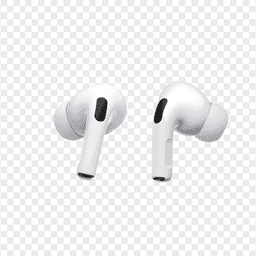
Apple
AirPods Pro 2
Lost your $249 AirPods Pro 2? Use EarBuddy to scan for their Bluetooth signal in real-time — works even without Precision Finding or U1 chip.

Samsung
Galaxy Buds 3 Pro
Lost your Samsung Galaxy Buds 3 Pro? EarBuddy scans for their BLE signal on any phone — no Samsung account or Galaxy phone required.

Pixel Buds Pro 2
Lost your Google Pixel Buds Pro 2? Find My Device only shows last location. Use EarBuddy for real-time Bluetooth scanning on any phone.