
One Earbud Dead, the Other Still On: What Should You Do?
One earbud is dead while the other still works? Check charging, rule out audio problems, and avoid tracking the wrong bud when one is missing.

If one earbud is dead and the other is still on, check whether the silent bud needs charging or simply is not playing audio. If it is missing, the working bud cannot lead you to it: a live Bluetooth signal may belong only to the earbud you already have. First separate a power problem from an audio problem, then make sure any search signal is coming from the missing side.
First, Decide What “Dead” Means
A silent earbud is not necessarily out of battery. It could have failed to connect, stopped charging in its case, or become quiet because its speaker mesh is blocked. Your next step depends on whether both earbuds are in front of you or one is missing. Do not reset the pair just because one side has disappeared; a reset will not restore power to a lost bud.
Use these checks to sort out the problem:
- Both earbuds are present: check separate left and right battery readings if your phone or the manufacturer's app provides them. A combined reading does not tell you both sides are charged.
- One earbud is present but silent: look for a charging response when you place it in the case. Follow your model's instructions for interpreting the indicator.
- One earbud is missing: treat its battery status as uncertain unless you have a recent, separate reading. The other bud staying connected proves nothing about the missing side.
- The missing earbud is confirmed empty: stop expecting a live Bluetooth scan to detect it. Focus on where the two earbuds were separated.
If You Have Both Buds, Check Charging First
Start with the case, not the Bluetooth settings. Connect the case to power with a suitable cable and charger. Seat the silent earbud in its correct slot and check that it sits fully down. A shifted ear tip, dirt, or poor contact can leave one side uncharged while the other reaches full battery.
Work through this short charging check:
- Inspect the earbud's charging contacts and the matching contacts inside the case. Remove loose debris gently with a dry, soft cloth or brush, following the manufacturer's cleaning guidance.
- Do not scrape contacts with metal, force the earbud into place, or pour cleaning liquid into the case.
- Reseat the earbud and look for the expected charging indication. A case light alone may describe the case battery rather than that individual bud.
- Leave it charging for the interval recommended by the manufacturer, then check again. A deeply depleted bud may not respond immediately.
- If it still shows no charging response, check the manufacturer's support steps before trying repeated resets.
If the same side repeatedly stays empty after both buds spend time in a powered case, you may have a contact, case-slot, or battery fault. Note which side fails and whether reseating changes anything. That gives support something more useful than “one side does not work.”
If It Has Power but No Sound
Test with a familiar audio track at a moderate volume. On your iPhone, check Settings, Accessibility, Audio & Visual, and make sure the balance slider is centered. Confirm that audio is routed to your earbuds rather than another speaker. Inspect the silent side's speaker mesh and clean it only as the manufacturer recommends.
Next, put both buds in the case and follow the normal reconnect procedure for your model. Try another audio app to rule out a playback issue. If the problem persists, use the manufacturer's reset instructions; button presses and timing differ between products. Forgetting and pairing the earbuds again can help a connection fault, but it will not fix a bud that cannot charge.
If One Is Missing, Isolate the Signal You Already Have
The confusing situation is a missing left bud, a working right bud, and a scanner showing the pair's brand. That result may be the right bud beside your phone. Brand identification is useful, but it does not by itself establish which side is transmitting. Some earbuds also behave differently when separated, so do not assume each side will appear as its own detectable device.
Before following a signal around the room:
- Put the recovered earbud in its case and close the lid. Many models stop transmitting in that state, but behavior varies.
- Keep the case and recovered bud away from the area you are searching. Do not carry a known possible signal source in your pocket.
- Scan again and compare what remains. A disappearing result suggests you were detecting the recovered bud or case, not necessarily the missing side.
- If a result remains, move slowly and check whether signal changes consistently with your position. Do not treat one strong reading as proof.
- If you cannot separate the signals confidently, switch to a physical search rather than following an ambiguous result.
A connected pair name does not mean both earbuds are online. Likewise, no scan result does not prove the missing bud is dead; it may be out of range, enclosed, or not transmitting a detectable BLE signal.
Search the Moment the Pair Split Up
Instead of searching everywhere you used the pair, identify the moment you handled the earbuds separately. Did you remove one to talk, leave one charging, or take one out while changing clothes? Search that specific surface, pocket, or seat first. Keep the recovered bud secured while you look so you do not turn a one-bud problem into a two-bud problem.
If the missing earbud is powered and transmitting a detectable BLE signal, EarBuddy for iPhone can help narrow the search with brand identification, a direction compass, smoothed signal-strength radar, hot/cold guidance, and haptic feedback that speeds up as you get closer. Download it from the App Store, and isolate the recovered bud before following a result. EarBuddy cannot detect a dead earbud.
Download EarBuddy — Free Bluetooth ScannerThe key is to avoid mixing two different problems: a silent earbud needs power and audio checks; a missing earbud needs a search that excludes the bud you already have. The working side is useful for confirming that your phone can play audio, but it is not a locator for its partner.
Related Devices
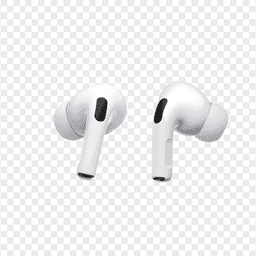
Apple
AirPods Pro 2
Lost your $249 AirPods Pro 2? Use EarBuddy to scan for their Bluetooth signal in real-time — works even without Precision Finding or U1 chip.

Samsung
Galaxy Buds 3 Pro
Lost your Samsung Galaxy Buds 3 Pro? EarBuddy scans for their BLE signal on any phone — no Samsung account or Galaxy phone required.

Sony
WF-1000XM5
Lost your $298 Sony WF-1000XM5 earbuds? Sony's app only works when connected. EarBuddy detects the passive BLE signal to help you find them.