
Find My Says Your Earbud Was Left Behind, but It’s Not There?
A Find My left-behind alert is not an exact drop location. Check timestamps, individual buds, and your route before searching the pin again.

If Find My says your earbud was left behind but you cannot find it there, the alert does not prove that the bud is sitting at that exact spot. It means Find My detected a separation from your device. The notification can arrive after you have moved on, and the map may show an older location rather than a live position. Before searching the same patch of ground again, check the location’s timestamp, confirm which earbud or case it represents, and compare it with your route.
Separate the Alert From the Location Update
There are three different moments to keep straight: when you last definitely had the bud, when Find My last located it, and when you received the left-behind notification. Those moments may not match. If the alert appeared as you drove away from a café, that does not automatically put the earbud at the traffic light where your phone buzzed.
Open Find My directly, go to Devices, and select your earbuds rather than relying on the notification preview. Read the status and any time shown beside the location. A location marked as last seen some time ago is a starting point for your search, not confirmation that the bud is still there. Even a recent update does not identify a particular table, room, or floor.
Before you leave the map, save the details that can help you reconstruct what happened:
- Take a screenshot showing the pin, device name, status, and any visible timestamp.
- Note when the notification arrived separately from the location’s update time.
- Write down your last confirmed use: removing the bud, putting it in the case, or handing over a bag.
- Check whether the location changes while you are looking, rather than assuming the first pin is final.
Check Whether You Are Tracking the Missing Piece
One entry for a pair of earbuds can make a missing-bud search confusing. Depending on your model, Find My may let you select the left bud, right bud, or case separately. Other models provide less detail or show only one earbud location at a time. Do not assume a pin for the product name represents the particular piece you lost.
Do a quick physical check before following another location:
- Open the case and look at both slots. Confirm which side is actually missing.
- If Find My offers separate components, select the missing one and check its own status.
- If separate components are not available, follow the instructions shown in Find My for your model. You may need to find one bud, place it in the case, and then check for the other.
- If the case and one bud are with you, do not treat a nearby connection to the pair as proof that the missing bud is also nearby.
A left-behind notification is a reason to check, not proof of loss. If both earbuds and the case are physically with you, the alert may be delayed or reflect a temporary loss of contact. You do not need to return to the pin just because the notification appeared.
Search the Transition, Not Just the Pin
When the bud really is missing, focus on what you were doing around the last reliable sighting. Earbuds often disappear during a change: taking off a coat, removing a mask, switching from walking to driving, or putting the case away. The map can point you toward that part of your day without identifying where the bud landed.
For example, if the pin is outside a shop, check the counter where you packed your bag, the doorway where you adjusted your clothing, and the seat of the car you entered. Do not spend the entire search staring at the pavement under the pin. Location estimates can place an indoor item outside the building or on the other side of a wall.
Use a short, ordered route instead of wandering:
- Start where you last physically remember having the missing bud.
- Follow the path to your next stop, checking places where you handled clothing, bags, or the case.
- Search your belongings over a clear surface so a bud cannot fall into another hiding place.
- Ask staff whether anything was handed in, and describe a single earbud rather than just asking about headphones.
- Check another floor or adjacent room only where you have permission. A map pin does not establish access to someone else’s property.
Use Nearby Tools to Test the Location
At the likely location, try Play Sound or a nearby-finding option if Find My offers it for the missing component. Remove any earbuds you are wearing before playing a sound. Pause conversations and listen from several positions. A successful sound gives you stronger evidence than the map alone; a pending or failed request does not prove the bud is absent.
A nearby Bluetooth scan can also help if the missing device is powered and transmitting a detectable Bluetooth Low Energy signal. EarBuddy on iPhone can identify devices by brand and use a smoothed signal-strength radar with hot/cold guidance to help narrow your search. Brand identification alone does not prove a signal belongs to your missing bud, especially if the matching bud or case is with you.
If There Is Still No Sign of It
If neither sound nor a nearby signal helps, return to the timeline rather than repeatedly refreshing the same pin. The bud may have moved with a bag or vehicle, stopped transmitting, or run out of battery. Enable Notify When Found or a lost-device option if Find My offers it, and leave contact details with the venue. Do not remove the earbuds from your account or reset the pair while you are still trying to locate them.
Think the bud is still nearby? Download EarBuddy from the App Store for iPhone and check for a detectable Bluetooth Low Energy signal. Its hot/cold radar and faster haptic feedback as you get closer can help narrow the search. It cannot find a device whose battery is dead.
Download EarBuddy — Free Bluetooth ScannerThe useful question is not just where Find My placed the pin. It is which piece was located, when that happened, and what you did next. Those details tell you whether to keep searching the area or move to the next likely stop.
Related Devices
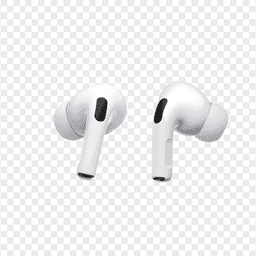
Apple
AirPods Pro 2
Lost your $249 AirPods Pro 2? Use EarBuddy to scan for their Bluetooth signal in real-time — works even without Precision Finding or U1 chip.
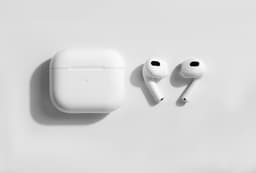
Apple
AirPods 3rd Generation
Lost your AirPods 3? EarBuddy's Bluetooth radar detects the BLE signal from your AirPods 3rd Generation even when they're disconnected from your iPhone.
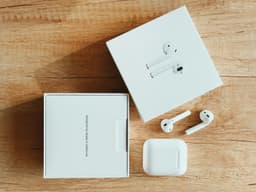
Apple
AirPods 4
Lost your Apple AirPods 4? Use EarBuddy's Bluetooth scanner to detect the BLE signal and track them down — even when Find My can't help.