
Galaxy Buds vs AirPods: Which Are Easier to Detect with a Bluetooth Scanner?
Compare how Galaxy Buds and AirPods appear on Bluetooth scanners, including closed cases, device names, separate buds, and signal strength.

Neither Galaxy Buds nor AirPods is consistently easier to detect with a Bluetooth scanner. Both can show up while awake and advertising, but a closed case, an existing phone connection, or a sleep state can change what you see. AirPods may be recognizable through Apple-specific broadcast data; Galaxy Buds may show a recognizable model name when they advertise it. Neither guarantees a named entry for each bud or a detectable closed case.
A Bluetooth Scanner Sees Broadcasts, Not Your Paired-Device List
Your phone remembering your earbuds does not mean a scanner can currently detect them. The Bluetooth settings screen can keep a saved name long after the earbuds stop transmitting. A BLE scanner needs a fresh, compatible advertisement from something nearby. Audio playback and BLE advertising are also different activities, so a working audio connection does not guarantee a useful scanner entry.
This matters when comparing brands: a pair that appears instantly in its own pairing interface may look unnamed, appear differently, or not appear at all in a general scanner. On an iPhone, the scanner also depends on what iOS makes available to apps. Do not expect it to reproduce everything an Android scanner or a manufacturer's own interface shows.
Out of the Case: Both Have a Better Chance of Showing Up
Removing either brand's earbuds from the case normally wakes them and starts connection activity. That is a useful opportunity to scan, but not a promise of continuous BLE broadcasts. Their behavior can change after they connect, sit unused, or enter a power-saving state. Model and firmware differences matter more than a simple Apple-versus-Samsung rule.
For a fair comparison using earbuds you still have:
- Test one pair at a time, in the same room, with the same scanning phone.
- Start with the buds out of the case and nearby. Watch for fresh detections rather than relying on a saved entry.
- Note whether they are connected to another phone. Keep that condition the same when comparing the two brands.
- If nothing appears, temporarily disconnect the audio connection and scan again. This can change advertising behavior, but it does not guarantee detection.
- Do not unpair or reset missing earbuds just to make a scanner work. You cannot remotely put a lost pair into pairing mode.
In the Case: An Open Lid and a Closed Lid Are Different Tests
Opening an AirPods case commonly triggers nearby setup or status activity. A scanner may detect associated BLE advertisements during that window, although it may not label them as the case. Closing the lid changes the state again. Some newer AirPods cases have their own wireless finding hardware, but that does not mean every AirPods case continuously exposes a separately named BLE signal to third-party apps.
With Galaxy Buds, opening the case can wake the buds and initiate connection activity. Closing it normally puts the stored buds into a charging or resting state. Do not assume the case itself is a separate BLE beacon: case hardware and supported behavior vary by model. A charged case alone is not proof that an iPhone scanner has anything to detect.
A signal that appears when you open the lid may come from the earbuds, not the case. If it disappears when you close the lid, that is a change in detectable advertising, not proof that the battery suddenly died.
Device Names: Recognizable Does Not Mean Individually Identifiable
A scanner can display an advertised local name, a name remembered by the system, or a label inferred from broadcast data. Those are different sources. Your personalized Bluetooth name is not guaranteed to appear in every scan. AirPods may show an Apple-related or AirPods label; Galaxy Buds may show a Galaxy Buds model name. Either can also appear with a generic label or without a useful name.
Brand identification helps narrow the list, but it does not establish ownership. Another person's earbuds nearby can look similar. Privacy-related identifier changes and scanner display choices can also make entries difficult to follow. Treat the name as a clue, then check whether the live signal changes as you move toward the place you suspect.
Will the Left Bud, Right Bud, and Case Appear Separately?
Do not expect three neatly labeled entries from either brand. Depending on the model and operating state, a scanner may expose one useful entry, several related entries, or none. The buds coordinate their wireless behavior, and a generic scanner cannot necessarily map every advertisement to a particular physical component. One visible entry does not prove both earbuds are together.
If you have the pair available, test each bud separately while keeping the other bud and case away from the scanning area. This gives you a practical reference for your own hardware. It is more useful than assuming another generation's behavior applies to yours.
Signal Strength at Range: Compare Trends, Not Brands
There is no dependable brand-wide range winner. Received signal strength depends on transmit power, antenna orientation, your phone, walls, furniture, and your body blocking the signal. A stronger Galaxy Buds reading does not automatically mean they are closer than an AirPods entry. Even the same earbud can give different readings when it rotates under a cushion.
Once you have a live entry, use it consistently:
- Follow the same entry and pause at each position long enough to see several updates.
- Keep your phone at a similar height and orientation while comparing locations.
- Look for a sustained strengthening trend rather than chasing one unusually strong reading.
- Near the detection limit, expect gaps. A disappearing entry can mean weak reception or changed advertising, not necessarily that you walked the wrong way.
Scanning with an iPhone? EarBuddy identifies supported brands and uses a smoothed signal-strength radar, hot/cold guidance, and faster haptic feedback as you get closer. Download it from the App Store to follow detectable nearby BLE signals. It cannot detect a silent device or one with a dead battery.
Download EarBuddy — Free Bluetooth ScannerThe practical winner is whichever pair is broadcasting in its current state. Test your own earbuds while you have them: out of the case, lid open, and lid closed. Knowing which states produce a fresh scanner reading is more useful than choosing a brand based on an assumed scanning advantage.
Related Devices
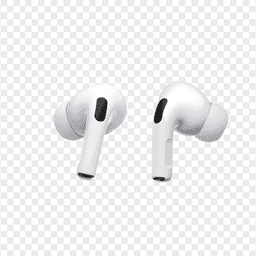
Apple
AirPods Pro 2
Lost your $249 AirPods Pro 2? Use EarBuddy to scan for their Bluetooth signal in real-time — works even without Precision Finding or U1 chip.
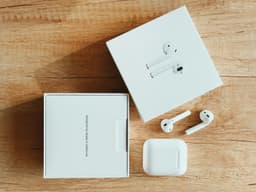
Apple
AirPods 4
Lost your Apple AirPods 4? Use EarBuddy's Bluetooth scanner to detect the BLE signal and track them down — even when Find My can't help.

Samsung
Galaxy Buds 3 Pro
Lost your Samsung Galaxy Buds 3 Pro? EarBuddy scans for their BLE signal on any phone — no Samsung account or Galaxy phone required.
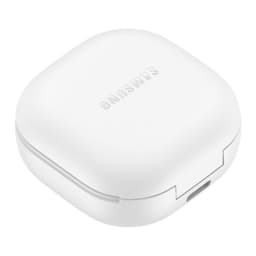
Samsung
Galaxy Buds 2 Pro
Lost your Samsung Galaxy Buds 2 Pro? EarBuddy detects their BLE signal in real-time — works even when SmartThings shows only last known location.